
Collections and environments
Save requests in collections and reuse them across environments.
Save related requests in a collection. Use folders to group them and put shared authorization or variables at the collection or folder level.
Create a collection
- In the sidebar, select + beside Collections and create JSONPlaceholder.
- Return to the request from Quick start.
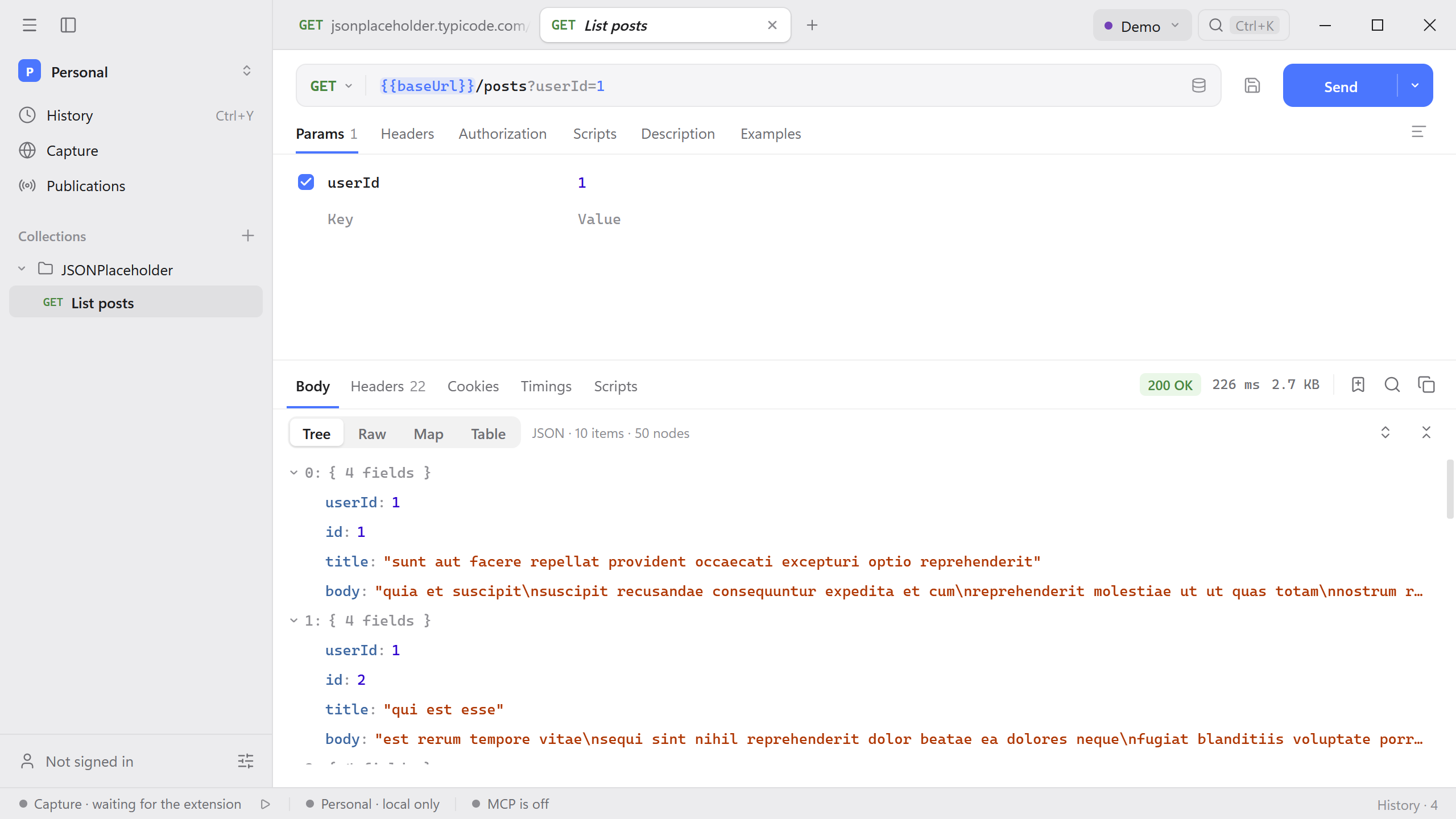
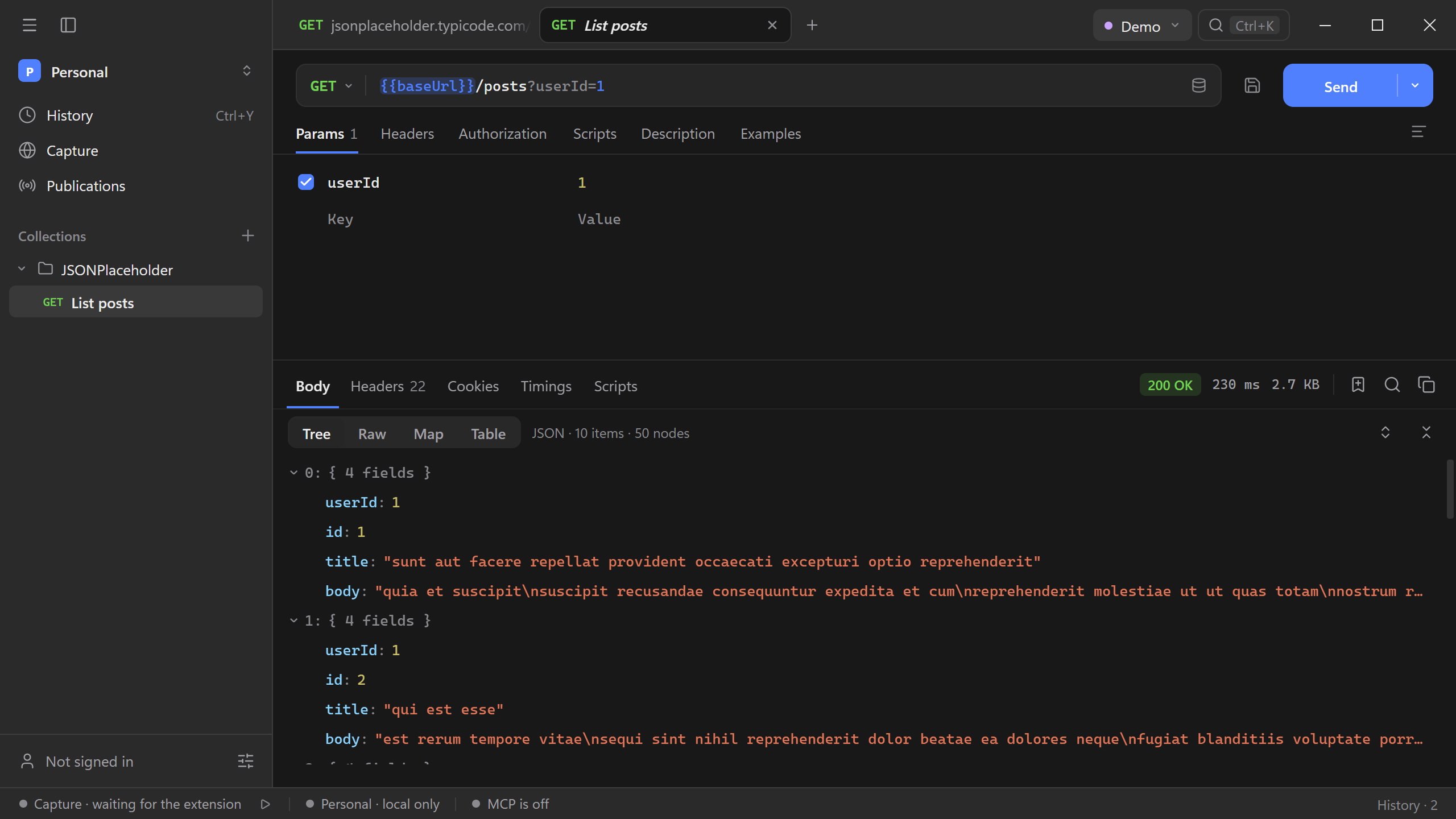
- Use the save icon beside Send, select the collection, and name the request List posts.
Organise requests
- Open a collection’s context menu to add a folder, run it, or jump to its authorization and variables.
- Drag a request or folder to reorder it or move it into another collection. Use Move to in the context menu when the destination is easier to find by name.
- Use Rename or Duplicate from the same menu. Hold Cmd/Ctrl while opening a saved request to keep it in its own tab.
Environment setup
Open the environment menu in the header and create an environment named Demo.
Add a variable named
baseUrlwith the valuehttps://jsonplaceholder.typicode.com. Enable the row and select Demo as the active environment.In List posts, replace the address with the template below, save the request, and send it again.
{{baseUrl}}/posts?userId=1
The request resolves to the same endpoint as before. To use the request with another API instance, create or select an environment that defines baseUrl for that instance.
Reuse settings
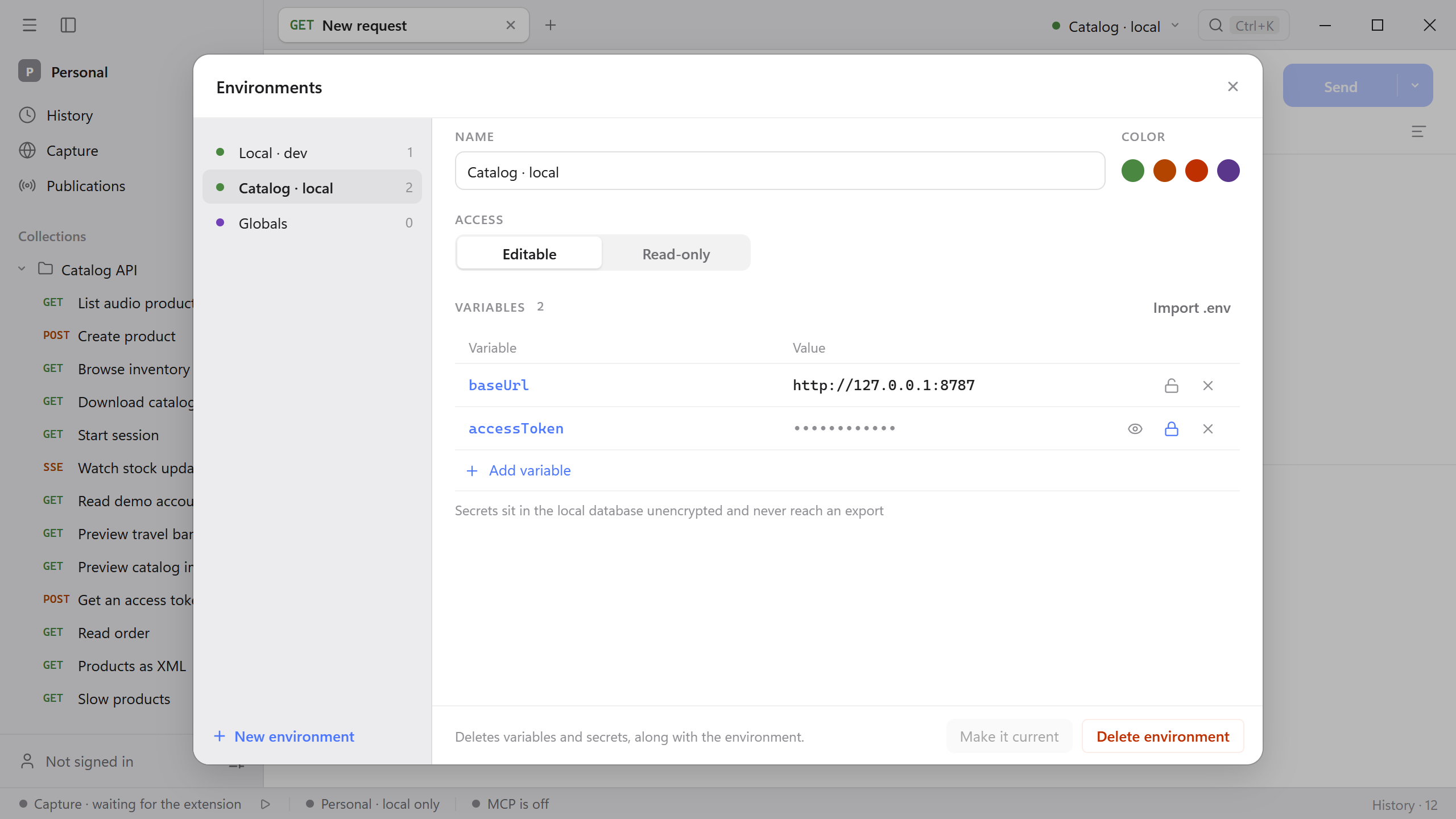
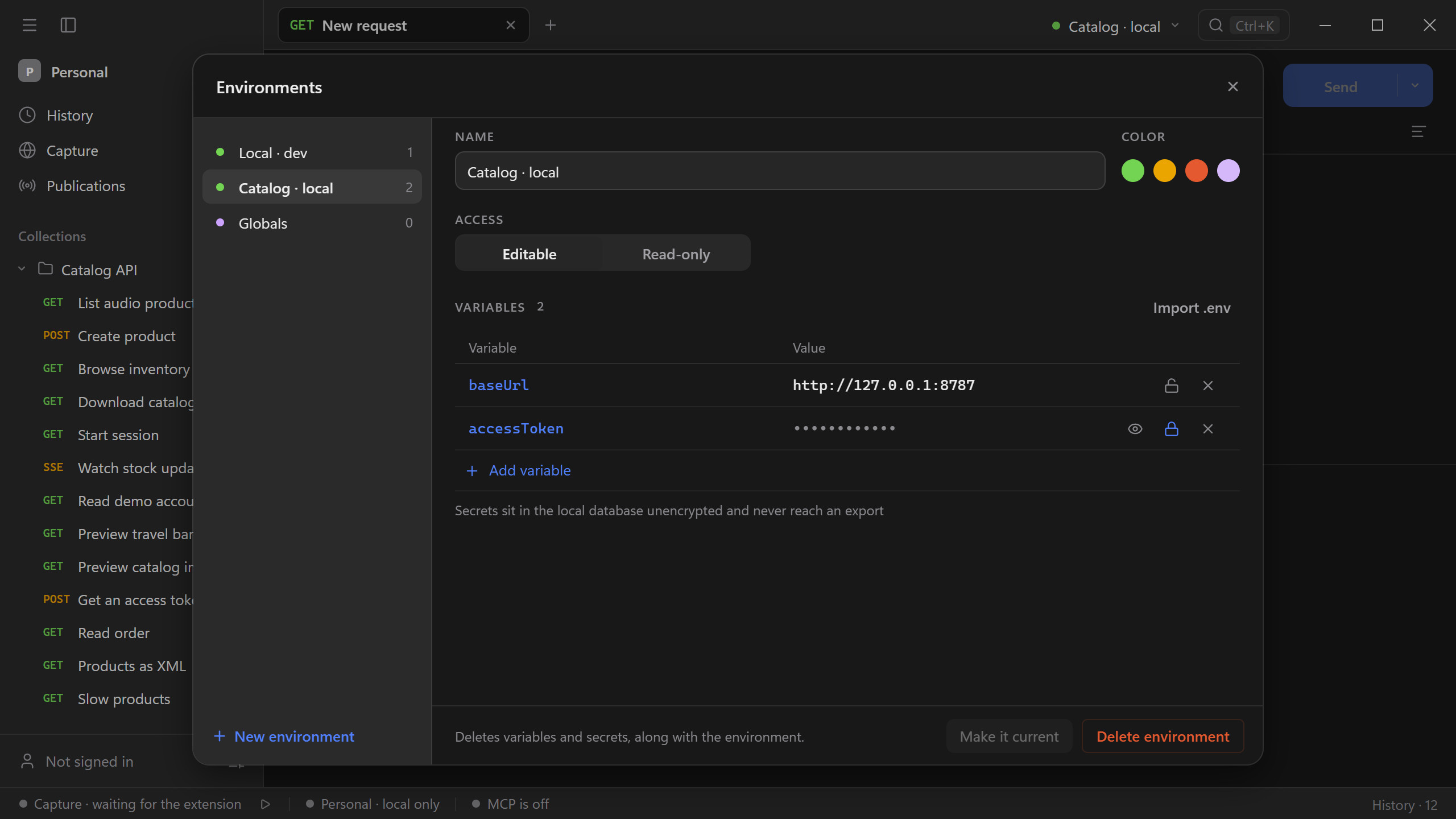
Put environment-specific values in environments and shared defaults in collection or folder variables. Use secret variables for credentials you want masked in normal request previews. See Local data for storage and export behavior.
Use the request’s environment control to pin an environment when a single request needs to keep using it while the rest of the workspace switches.
When the requests are ready, run the collection.