
Scripts and collection runs
Check responses with scripts and repeat checks with the collection runner.
Use pre-request scripts to prepare a request. Use post-response scripts to check what the API returned. Scripts can live on individual requests, folders, or collections.
Open Scripts in the request editor to choose the phase you are editing. Schemo runs the collection’s scripts before the scripts on nested folders and the request. Use Scripts in the response pane for test results and script output.
Check a response
Open Scripts on the saved request from Quick start. In the post-response editor, add this check.
pm.test('Returns posts for user 1', function () {
  pm.expect(pm.response.code).to.equal(200);
  const posts = pm.response.json();
  pm.expect(posts[0].userId).to.equal(1);
});
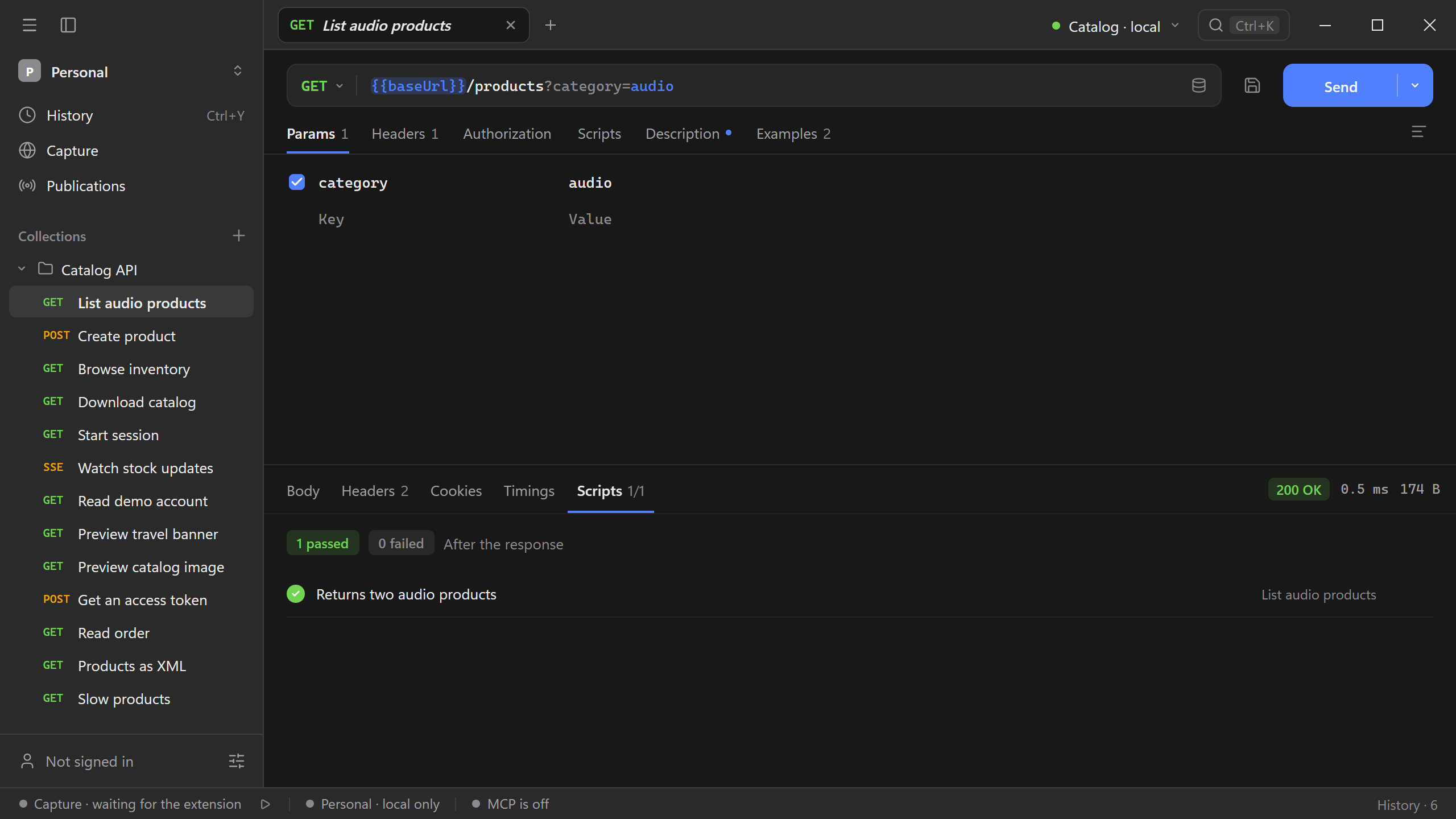
Send the request and open Scripts in the response pane to see the test result. If the test fails, check the returned body and the active environment.
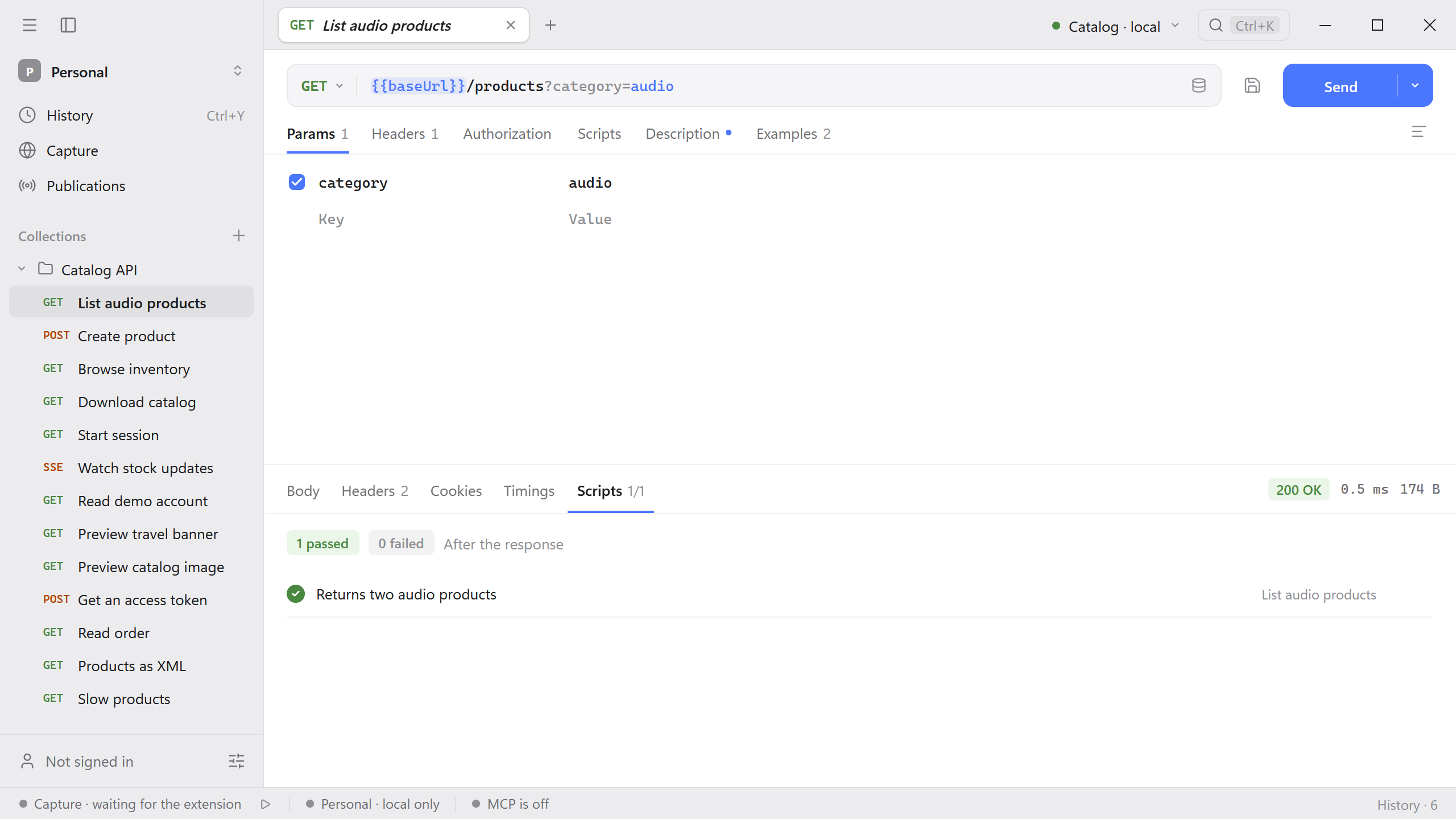
You can also test the category filter from the Catalog API. This check expects the two audio products from GET /products?category=audio.
pm.test('Returns two audio products', function () {
  pm.expect(pm.response.code).to.equal(200);
  pm.expect(pm.response.json().length).to.equal(2);
});
Read variables
The pm.environment object exposes the selected environment. For example, a test can read the baseUrl value set up in Collections and environments.
pm.test('An API host is configured', function () {
  pm.expect(typeof pm.environment.get('baseUrl')).to.equal('string');
});
Run a collection
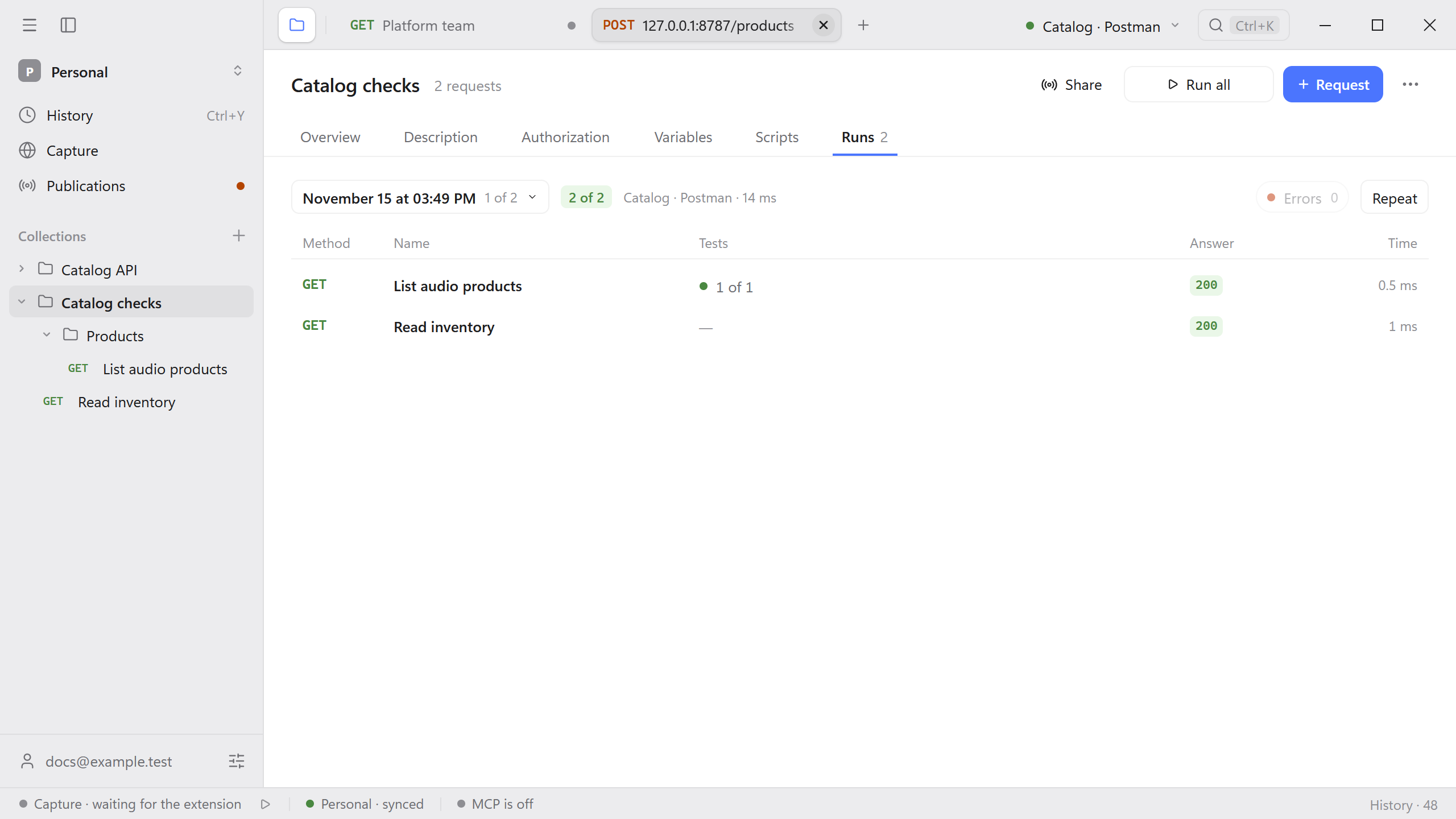
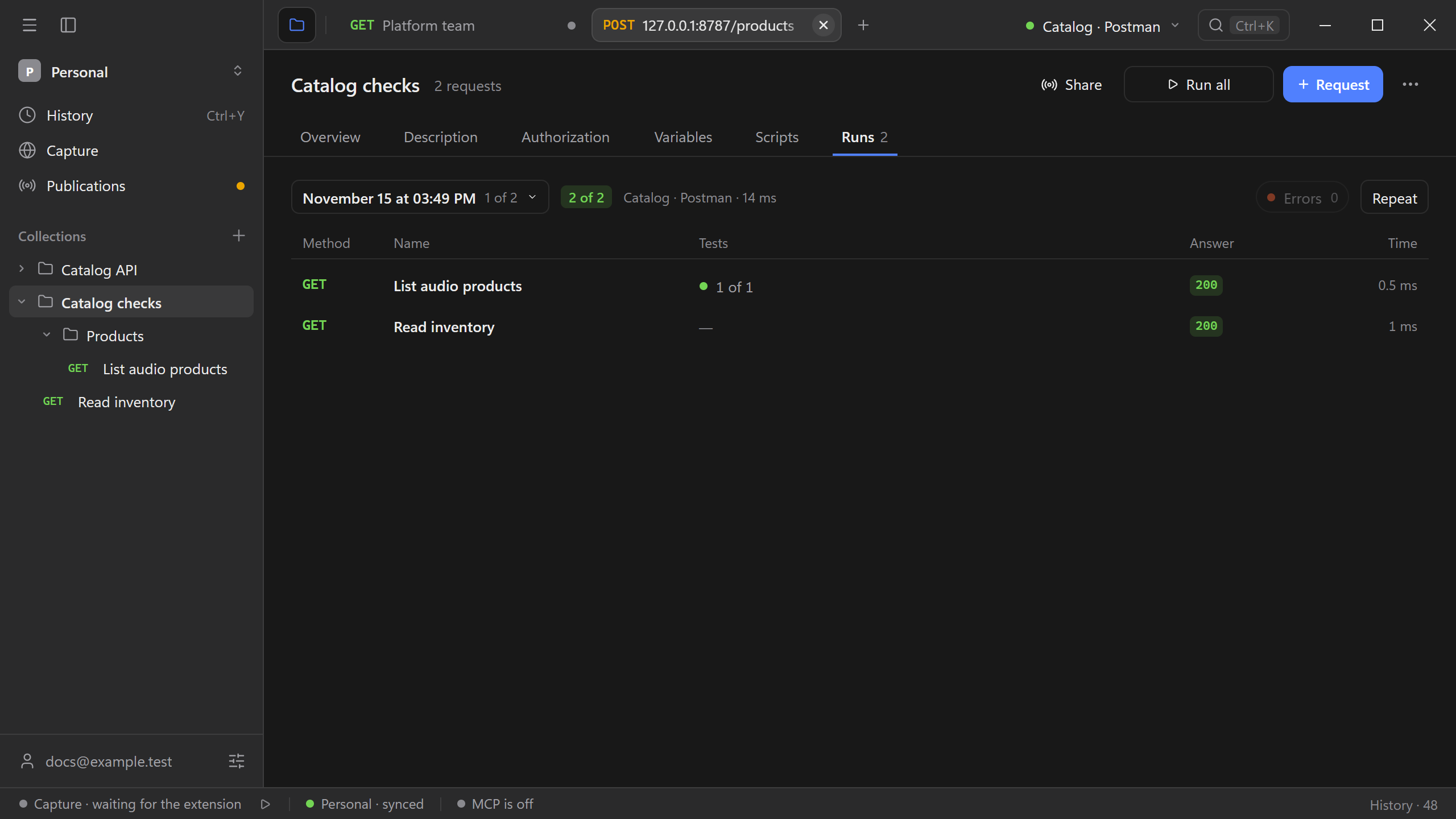
Open the collection and select Run all. The runner executes saved requests in order using the collection’s settings and the selected environment. Open Runs to review the latest run and inspect failures by request. You can repeat a run to compare the result after a change.
See Run a collection against an environment for a run that compares a passing result with a failed assertion.