
Server-Sent Events
Read named events from a live HTTP stream.
Choose SSE and enter the HTTP or HTTPS URL of the event stream. Configure headers or authorization if needed and select Connect.
Watch stock updates
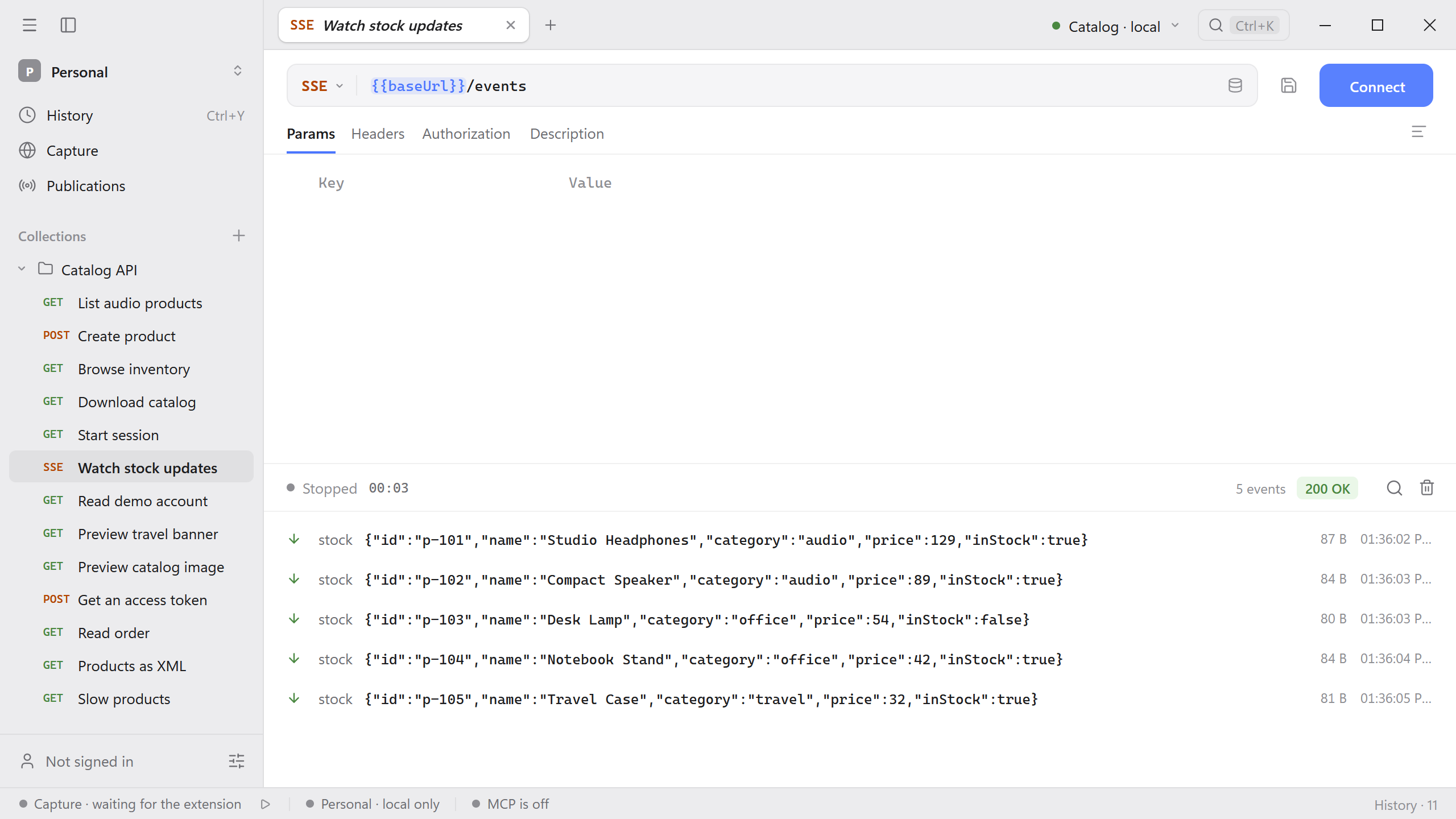
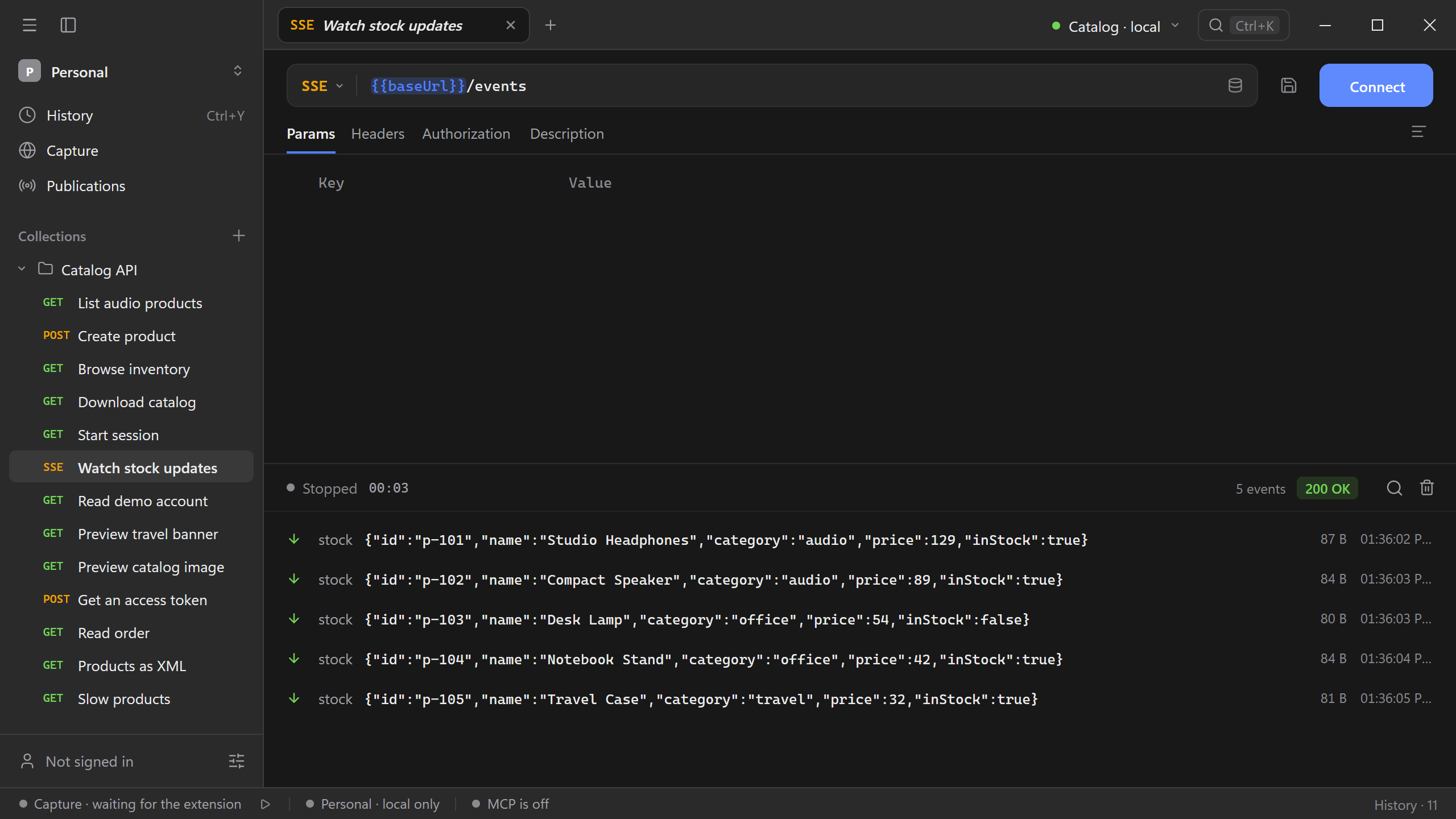
Start the Catalog API and connect to http://127.0.0.1:8787/events. It sends five stock events and closes the connection. Each event has a sequential ID and a JSON product payload. Open a row to inspect its data.
Read the stream
Schemo displays events as they arrive from a successful text/event-stream response. The log shows event names, IDs, and data when the server sends them. Search the log by event or value. Select Stop when you finish.
A stream can remain open between events. If the connection closes immediately, check the HTTP status and response content type. If it stays open with an empty log, confirm that the endpoint has an event to send and that any intermediary flushes event data.
Identify an event
For this event, Schemo shows the name status, ID 42, and its JSON payload in the log.
event: status
id: 42
data: {"state":"ready"}
An endpoint can send multiple event types on one connection. Use the event names and IDs to locate the update you are debugging.