
WebSocket
Open a connection, send messages, and read the log of sent and received messages.
Choose WS in the protocol menu and enter a ws:// or wss:// address. Params, Headers, and Authorization apply to the handshake, the HTTP request that opens the connection.
Exchange messages
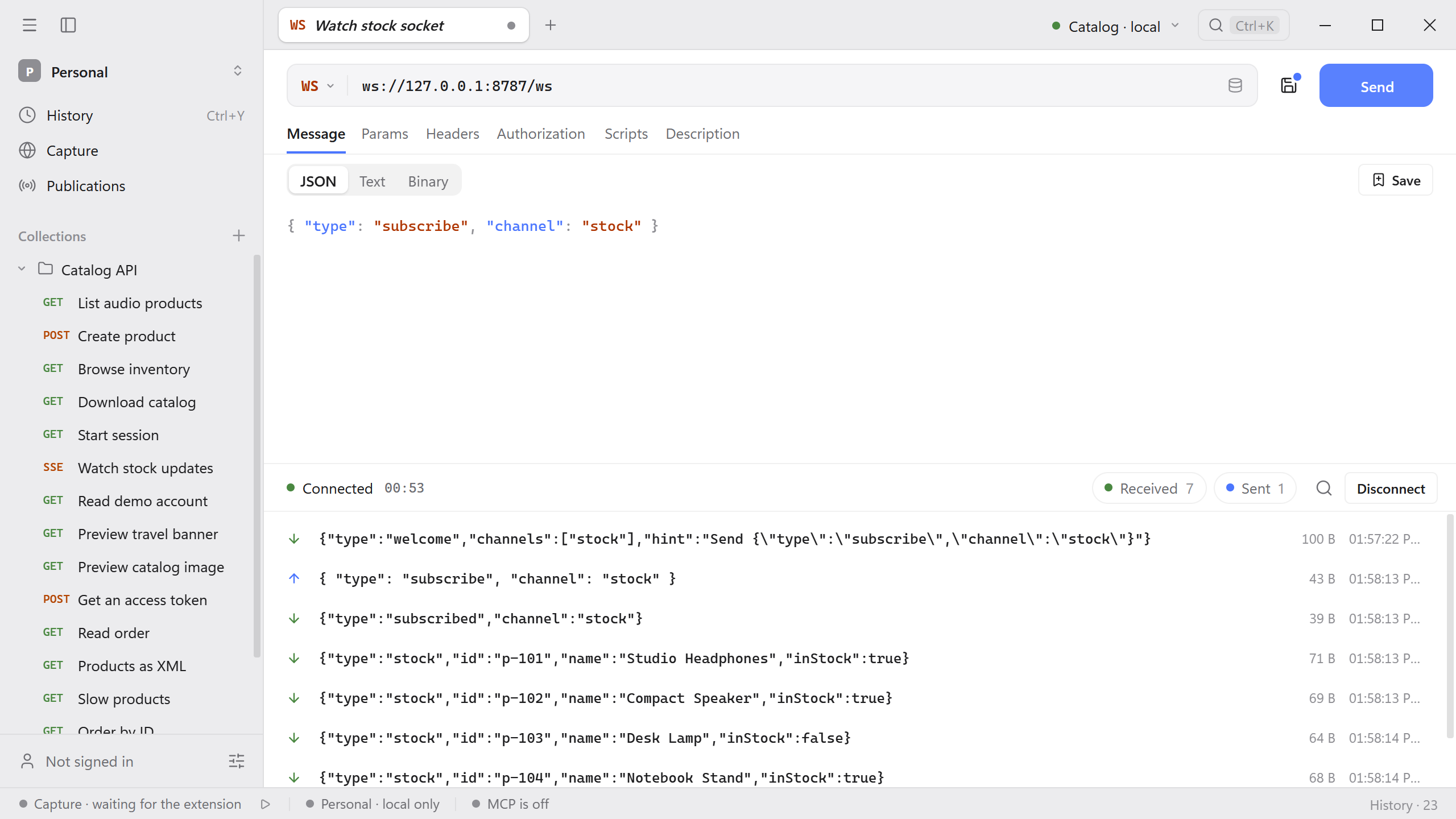
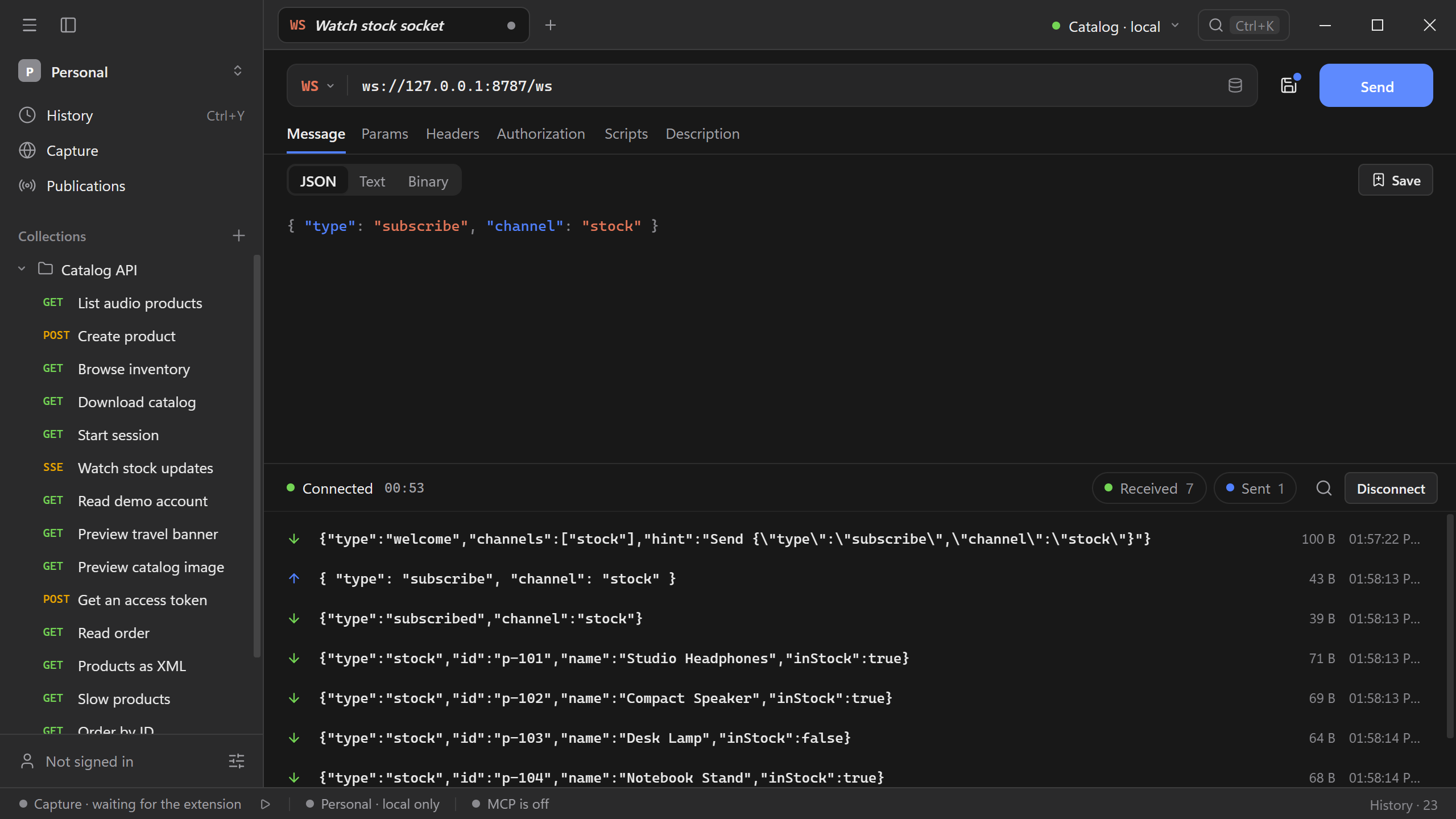
- Select Connect. When the server accepts the handshake, the log shows Connected and a timer, and the button changes to Send.
- In Message, choose JSON, Text, or Binary and type the message. JSON is checked as you type and highlighted.
- Select Send. Each message appears in the log with an arrow for its direction, its size, and the time it was sent or received.
- Select Disconnect to close the connection.
For Binary, enter the bytes as Base64 or as hex with a 0x prefix, such as 0x48656c6c6f. Received binary messages are shown as Base64.
Catalog example
The Catalog API serves a WebSocket at /ws. It greets each connection, echoes what you send, and streams stock updates after a subscription.
Start the Catalog API and create a WS request to
ws://127.0.0.1:8787/ws.Select Connect. The first message is a
welcomethat lists the available channels.Choose JSON and send this message:
{ "type": "subscribe", "channel": "stock" }The server confirms with
subscribedand then sends fivestockmessages, one for each product.
Any other message comes back as an echo with the text the server received.
Reuse a message
Select Save above the editor to keep the current message with the request. Saved then shows how many messages are kept; open it and pick one to put it back in the editor with its format. A request keeps the six most recently saved messages. Select the cross next to a saved message to remove it.
Read the log
- Select Received or Sent to show only one direction. Select it again to show both. The number next to each is the count of messages.
- Select the search icon to find messages by text.
- Clear the log to start over without closing the connection.
Connection issues
If the connection fails, check the address, the handshake status, and the authorization. A server that requires a subprotocol expects the Sec-WebSocket-Protocol header; add it under Headers.
An open connection does not mean that the server will send anything. Many servers wait for a subscription or a first message, as the Catalog API does. Read the server’s first messages and its documentation to learn what it expects.