Export just the response rows you need
Filter a JSON array, choose columns, and save the result as CSV.
Turn an array response into a spreadsheet extract from the response pane.
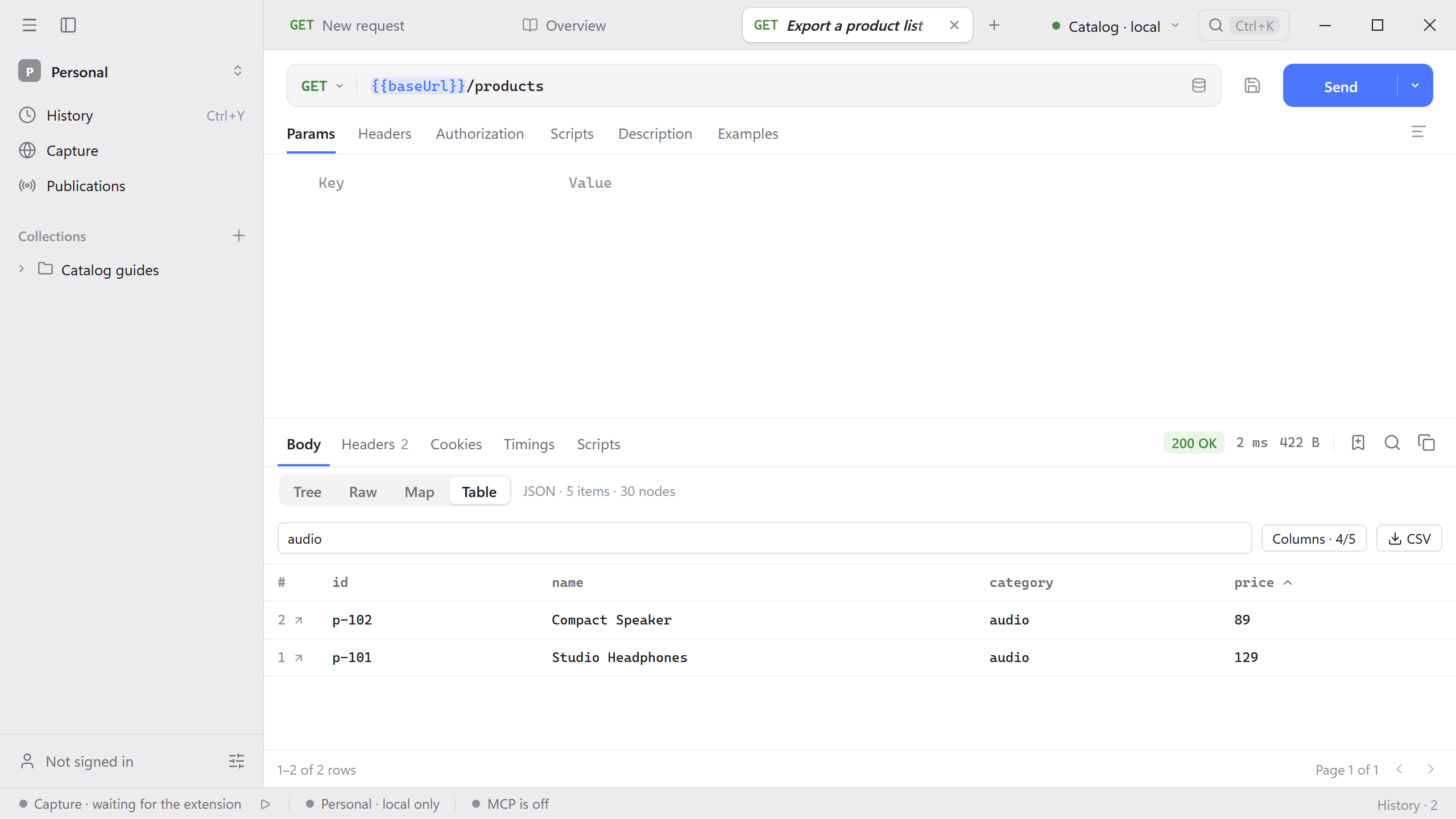
- Start the Catalog API and send
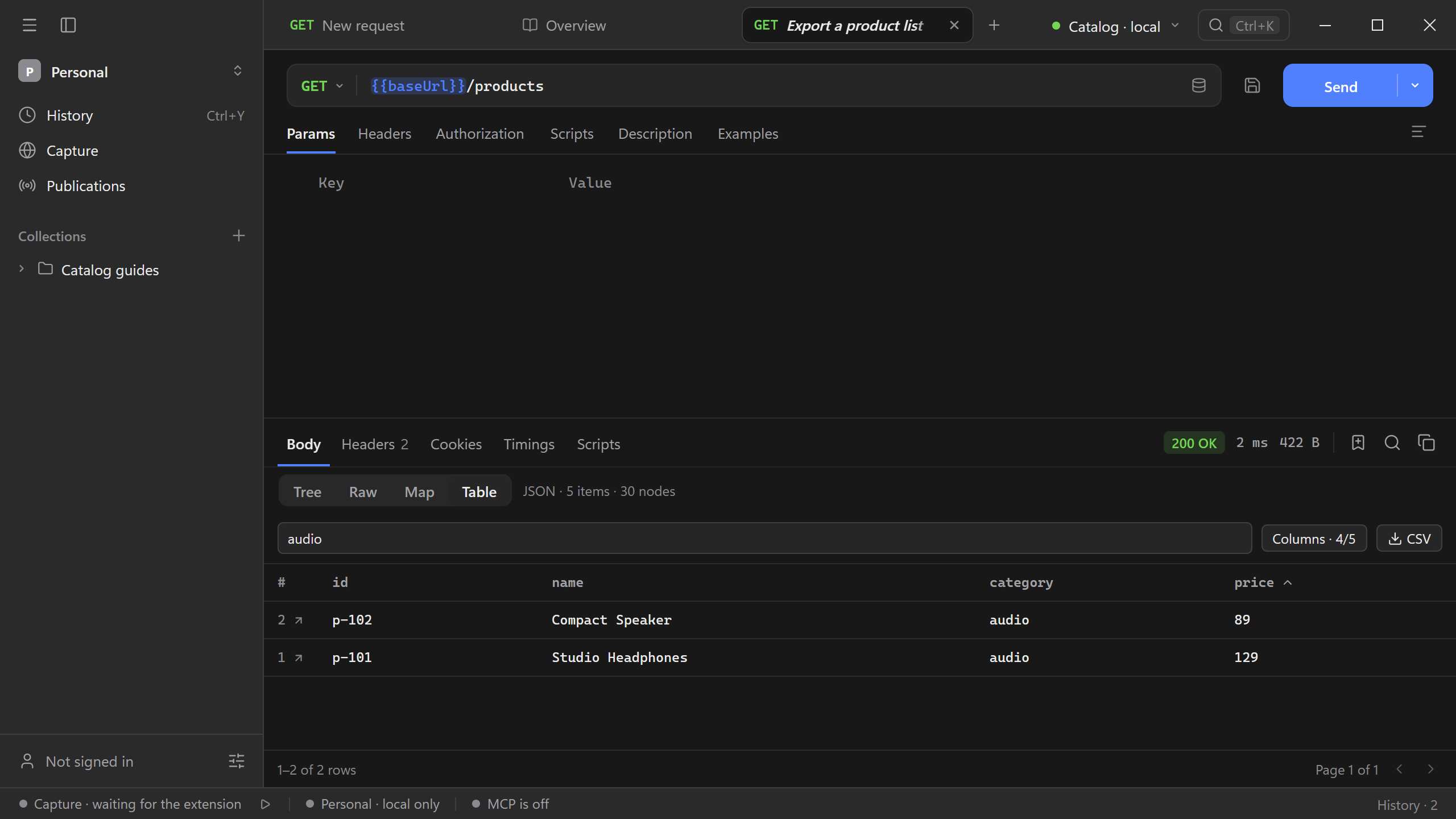
GET {{baseUrl}}/products. The response contains five products. - Open Body → Table and enter
audioin Filter rows…. Two results remain. If the response contains several arrays, choose the one you want from Array first. - Use Columns to keep
id,name,category, andprice. Keepcategoryvisible because the filter searches visible cell values. - Select
priceonce to sort ascending. Select CSV and choose where to save it.
The CSV uses the visible columns and every matching row in the current sort order, including rows on other table pages. In this example Compact Speaker (89) comes before Studio Headphones (129).