
Run a collection against an environment
Use a collection runner to check requests against different API instances.
Run a collection after an API change, or check how the same requests behave with a different environment. This example runs two requests together and reproduces a failing assertion by changing one variable.
Prepare requests
Start the Catalog API. Save these two GET requests into a collection, or import Catalog checks from the Postman guide.
Request Address List products {{baseUrl}}/products?category={{category}}Read inventory {{baseUrl}}/inventoryIn the list request, use the
{{category}}variable as the query value. If you imported the collection, replace its literalaudiovalue in Params.Set up an environment with
baseUrlset tohttp://127.0.0.1:8787andcategoryset toaudio.In the list request’s post-response Scripts editor, add this check if you created the request manually.
pm.test('Returns two audio products', function () {
  pm.expect(pm.response.code).to.equal(200);
  pm.expect(pm.response.json().length).to.equal(2);
});
Run and compare
Select the environment and open the collection. Select Run all, then open Runs. Both requests return 200, and the list request’s assertion passes.
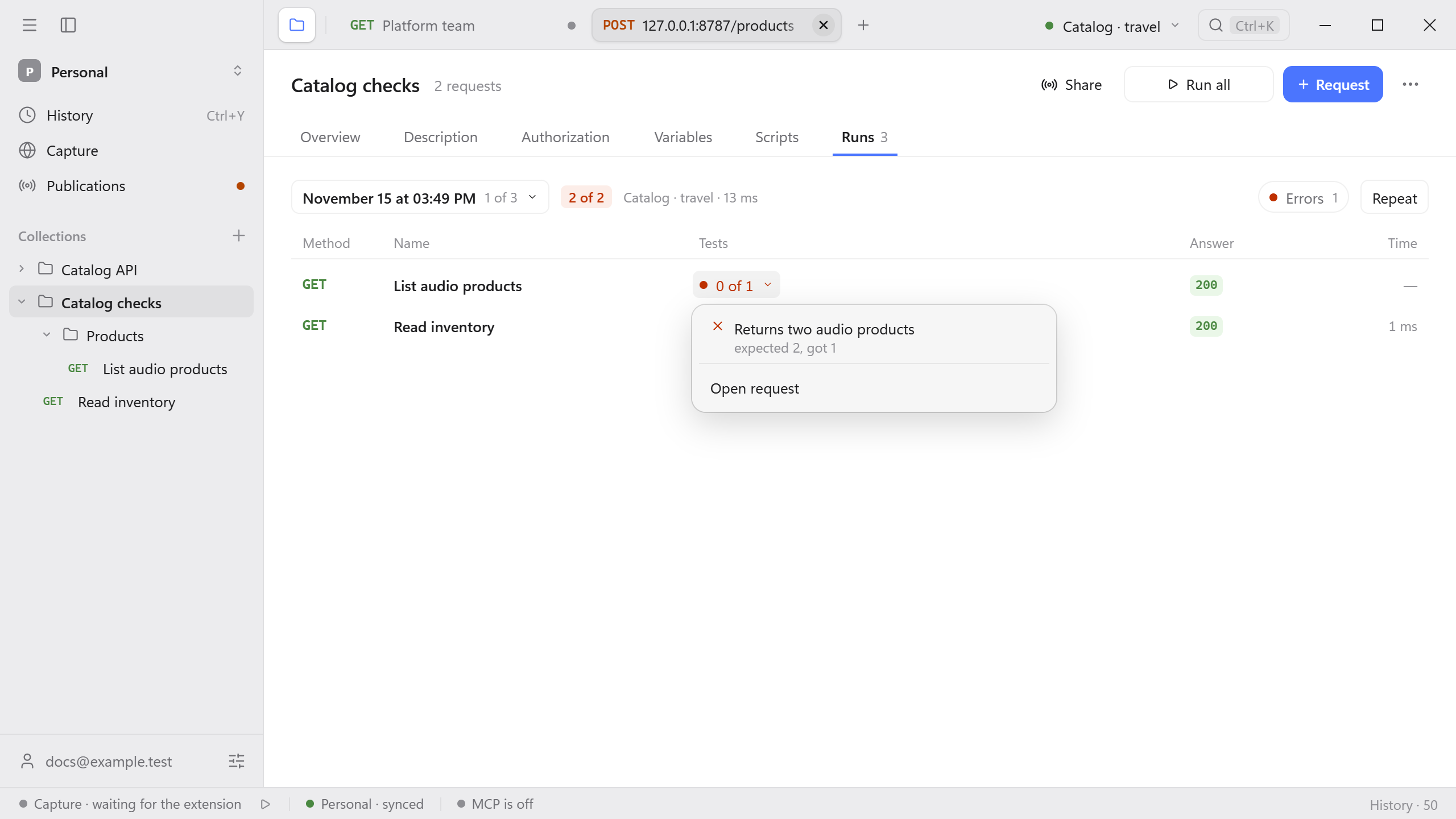
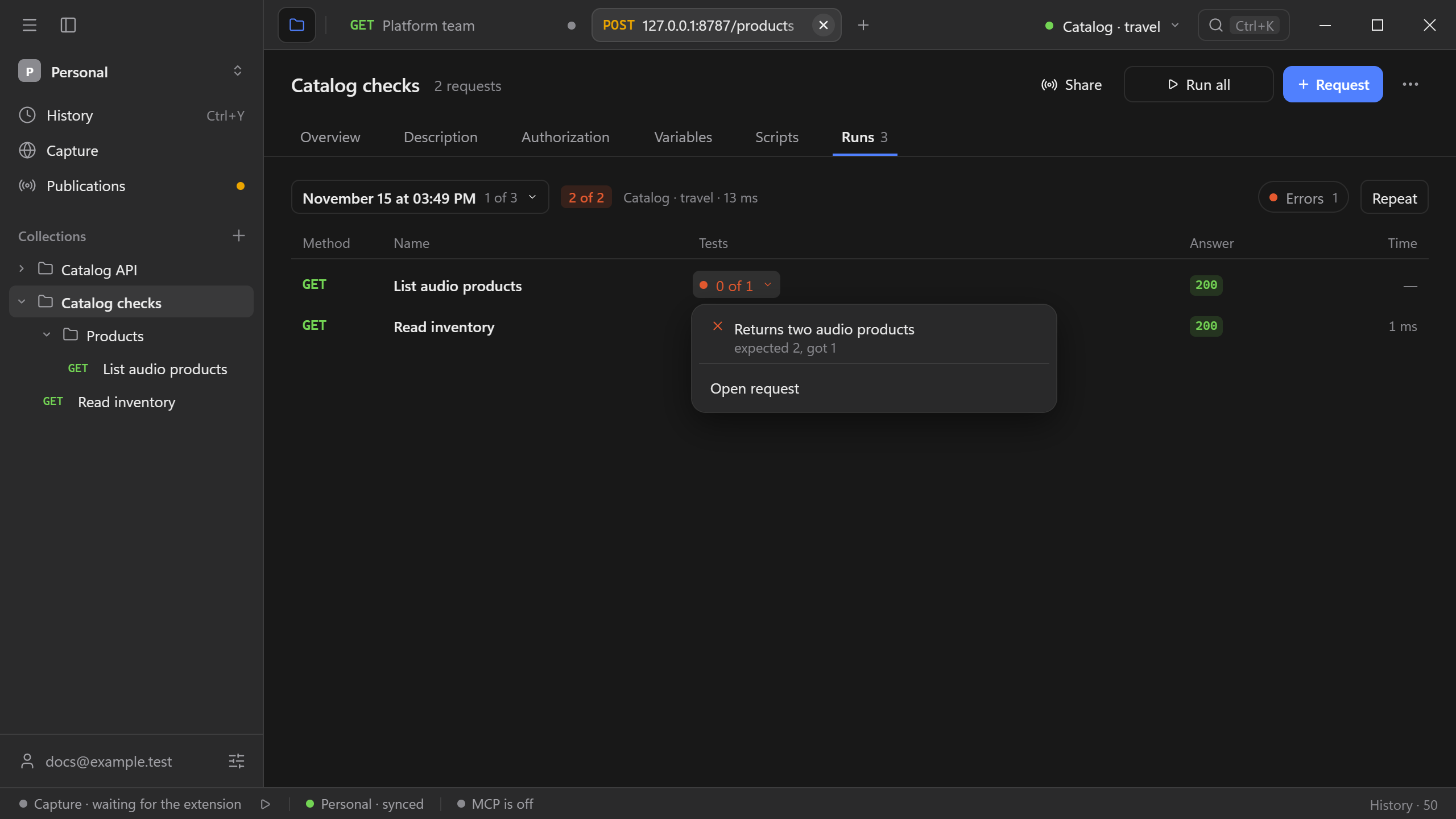
Create a second environment with the same baseUrl and category set to travel. Select it and start another run. The list request still returns 200, but its assertion fails because the response has one product. Open the failed result to see the assertion and the response. Use the run selector to return to the earlier result.
For a comparison across API instances, change baseUrl in the second environment. Keep the variable names the same. If a request is pinned to an environment, clear or update the pin before comparing. Run WebSocket and SSE requests individually.